Team Retro · Get Started

LEVEL UP WITH RETRO SYSTEM

One subscription. Every build we make. Ready in 24 hours.

Ready-made builds for

VIP Retro Gaming Subscription

500TB DIGITAL EDITION

$25for the first
3 months
After that the price drops to $15 / month. Loyalty pays off.
Powered by PayPal · cancel anytime
Account created by hand within 24 h
Fast downloads, no speed caps
Priority support on Discord
New titles and system updates weekly
New: LaunchBox FTP Installer, one program installs your build
500 TB Digital Edition

What’s included

EVERY BUILD, ONE SUBSCRIPTION

LaunchBox
LaunchBox VIP500 TB
LaunchBox GUN build500 GB
LaunchBox FTP Installer newFree add-on
Retrobat
Retrobat full16 TB · 8 TB · 5 TB
Retrobat compact, 2 variants2 TB
Retrobat small1 TB · 512 GB · 300 GB
Handheld and PC
Steam Deck images, 8 variants256 GB · 512 GB · 1 TB
Playnite buildsPC
Batocera compilationsPC
Arcade
Teknoparrot, full setArcade PC
Hyperspin and CoinOps Next 2Included

New add-on · included with your subscription

LAUNCHBOX FTP INSTALLER

Your whole build, installed by one program. Pick your systems, click Install, play. No manual downloads, no unpacking, no config files.

Tick the systems you want: the whole Nintendo group or just Nintendo 64
Emulators, media and LaunchBox data go where they belong, no duplicates
Resume, skip what you already have, update and repair in one click
Small disk? Play games straight from the cloud as a drive letter
Encrypted FTPS connection. Free for every subscriber, Windows

Beta, work in progress: we keep developing and improving it, new versions follow. Download it from the LaunchBox FTP server with your subscriber login.
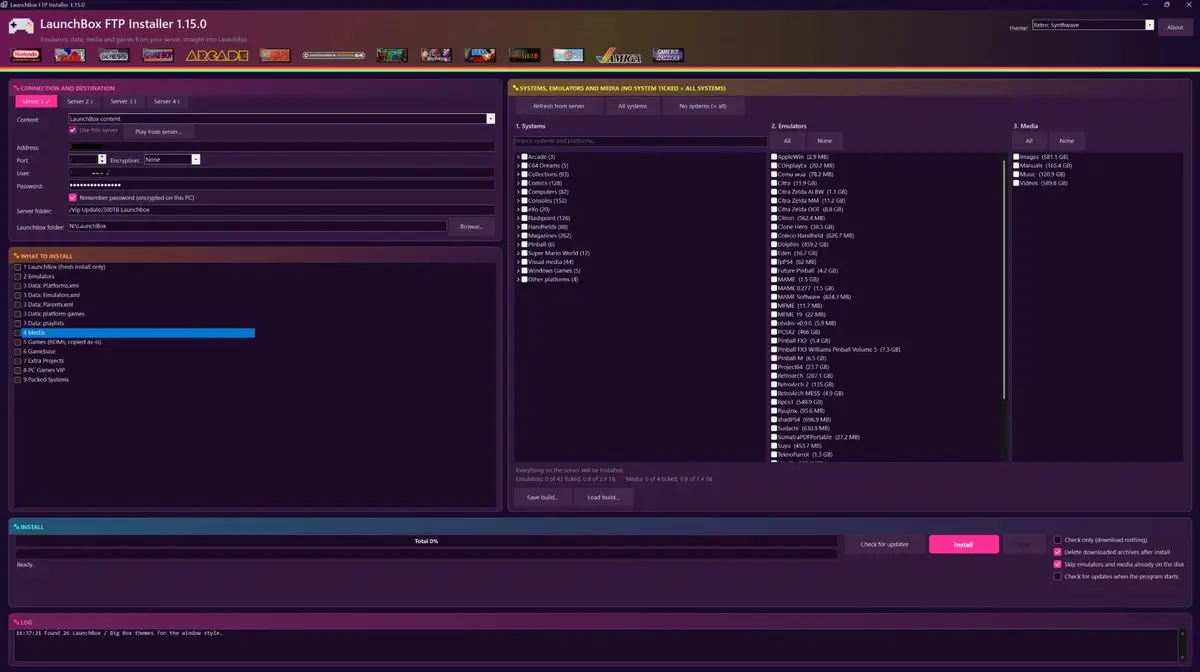
LaunchBox FTP Installer main windowNew

Screenshots

THIS IS WHAT YOU’LL BE LOOKING AT

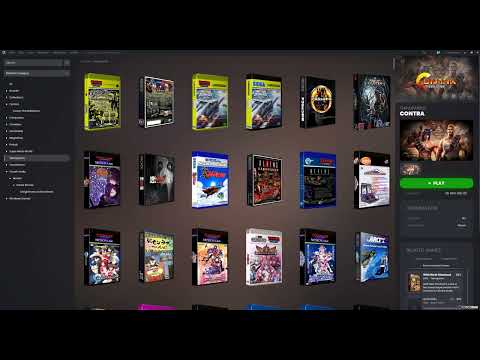
Click a tile to watch the build on our YouTube channel.

FAQ

BEFORE YOU SUBSCRIBE

How long until I can play?
Your account is created manually, usually within 8 hours and at most 24. Then you download the build that fits your drive and start playing.
How do I install the build?
Two ways. Download the build with any FTP client and copy it to your drive, or use the free LaunchBox FTP Installer: tick the systems you want, click Install, and it downloads, unpacks and merges everything into LaunchBox for you. When your disk is small it can even play the games straight from the server. The installer is in beta and is improved all the time.
What hardware do I need?
A Windows PC or an arcade cabinet PC for LaunchBox, Hyperspin, CoinOps and Teknoparrot; a Steam Deck for the Steam Deck images; any PC that boots from USB for Batocera. Pick the build size that matches your drive, from 300 GB to 500 TB.
How fast are the downloads?
There are no speed caps on our side. Real speed depends on your connection. Ask on Discord for the current server status before starting a multi-terabyte download.
Does it work on Windows 11 and Steam Deck?
Yes. Every build is tested on current Windows 11, and the Steam Deck images are prepared specifically for the Deck in 256 GB, 512 GB and 1 TB variants.
How often do builds get updated?
New titles and system enhancements are added weekly. Updates are announced on Discord and in the News section of the homepage.
How do I cancel?
Cancel the subscription in your PayPal account at any time. You keep access until the end of the paid period.

Still unsure? Ask on Discord, the community and the team answer there every day.

Good to know

Accounts are for the original purchaser only. Sharing or reselling ends the subscription.
Any order can be cancelled and refunded by an administrator right after purchase. Refunds go back to the original payment method.
Use accurate order and contact details when you contact us. We never ask for your password.
Orders with suspected fraud, payment issues or abuse may be refused or cancelled.
Full terms and conditions →