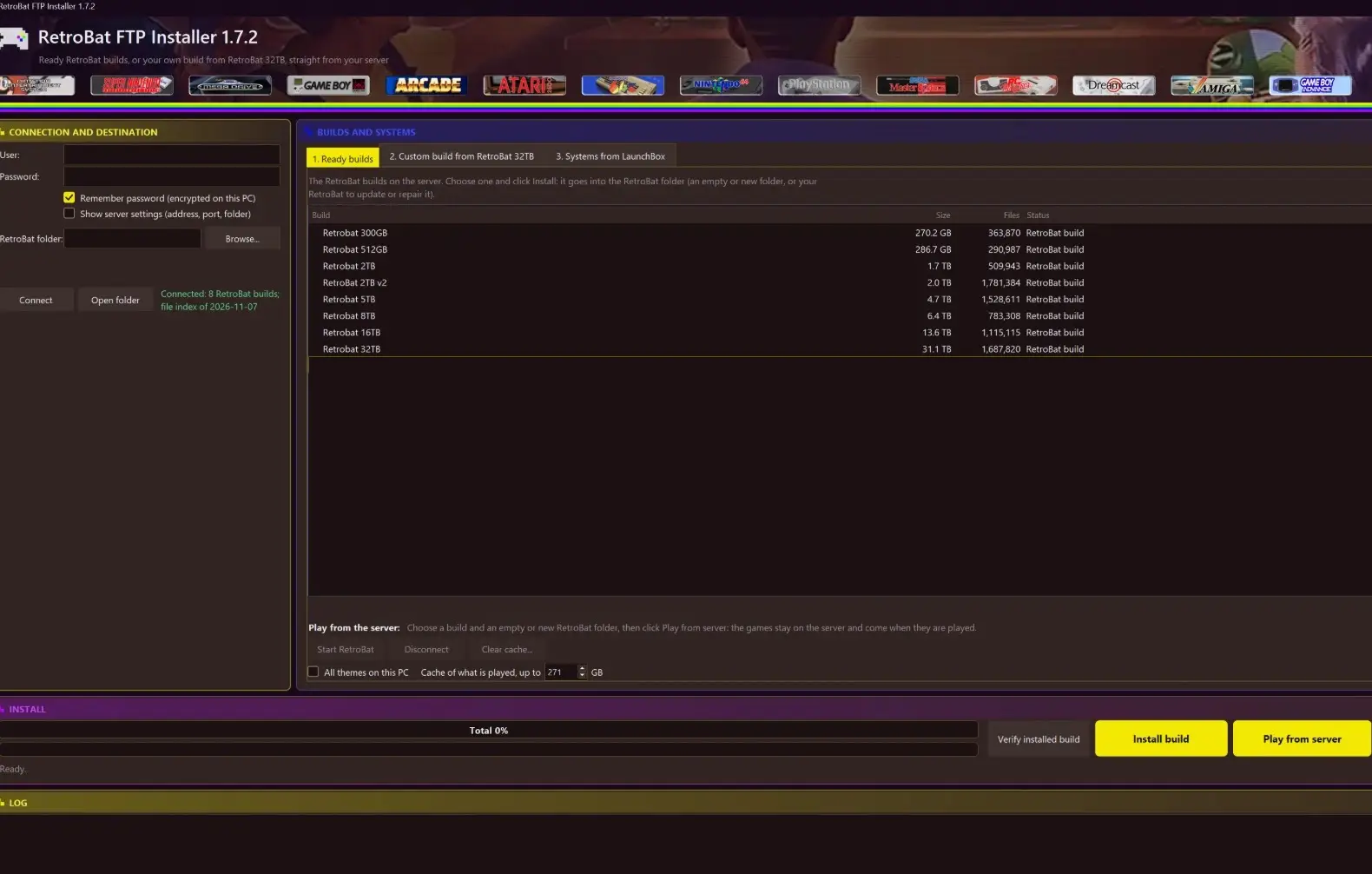
Free for every subscriber. One program installs RetroBat from our RetroBat server: a ready build or only the systems you tick, with their emulators, media and BIOS files. No manual downloads, no unpacking, no config files. Pick, click Install, play.
RetroBat FTP Installer: custom build, systems and emulators with their sizes.
Update 1.7.2: updates that always work
15 November 2026. Version 1.7.2 is out, and you get it by itself after Connect.
Updates no longer fail now and then. The new version’s own check said no about one time in 64.
The server’s file list never stops Connect. A damaged or odd one is read as far as it can be, or folders are listed instead, and a dropped connection while it comes is tried again.
Safer. Windows’ own parts are always taken from Windows’ folder, never from files lying next to the program. Keep the program in a folder of its own.
“Report for support” says more: warnings, your antivirus, the drive’s file system and which program file runs. A file that cannot be written says why in the log.
Update 1.7.1: safer and sturdier
12 November 2026. Version 1.7.1 is out. It brings no new buttons, but a lot of care for your files and for the update itself.
Your saves are never replaced. Saves that a game keeps in its own folder under roms are never overwritten by the server’s files.
A damaged file list on the server no longer stops Connect. The program reads it as far as it can.
The previous version stays next to the new one after an update, until the next update. If your antivirus holds the new one back, start the old one.
Safer. Windows’ own programs and the cloud-drive tool are started only from their own places, and the update file and its download are size-checked.
A wrong password with a Polish letter says “check the password” again.
Update 1.7.0: it updates itself
10 November 2026. After you click Connect, the program says when a new version is on the server and what is new in it. Click Yes: it downloads the new version, checks that it is genuine and starts it. Your settings stay. About shows what is new in the version you have.
What it does
Ready builds. Pick a complete RetroBat build, from 300 GB up to 32 TB, and click Install build. Verify installed build compares your folder with the server without downloading anything.
Custom build. Tick systems, grouped by maker, with sizes and free space shown. Each system comes with its games, pictures, videos and manuals, the emulators it uses and the BIOS files. Skip media leaves pictures, videos and manuals out: for 13 classic systems that is 9 GB instead of 105 GB. Install again without it to add them later.
Systems from LaunchBox. A LaunchBox platform becomes an extra RetroBat system, with its games, data and media, started with RetroBat’s own emulators. Your LaunchBox is not changed.
Your things stay. Favourites, play counts, saves and settings are kept when a RetroBat is updated or repaired.
Resume and skip. A stopped install continues where it ended. If the internet or the server is gone for a while, the program waits and goes on by itself.
Encrypted connection. Your login and file lists travel over FTPS (TLS).
Report for support. One click saves one file with everything needed to find a problem, never your password.
Play from the cloud
No big drive needed. Short on disk space? Choose a build and click Play from server. RetroBat, EmulationStation, the emulators and your saves come to your PC; the games stay on the server and come while you play them. What you played stays in a cache on your PC, so it starts at once the next time, and without internet what you played before still plays. This needs the free WinFsp driver, which the program installs for you after you click Yes. Keep the program open while you play.
How it works
Run the program. It is one file: nothing else to install.
Enter your login and click Connect. The password can be remembered, encrypted for your Windows account only.
Choose the RetroBat folder: your RetroBat, or an empty folder for a new one. Close RetroBat first.
Pick a ready build or tick your systems, check the size, click Install, and start RetroBat when it is done.
Where to get it
Already have it? Nothing to do: after Connect it offers the new version itself. New here? Ask for the download on our Discord, with your subscriber login. Free for every subscriber, Windows only. All versions and what changed in each are listed on the Installers page.
Not a subscriber yet? 500 TB of ready-made LaunchBox, Hyperspin, CoinOPS and Retrobat builds, 2,000 systems and 700,000+ titles: see how to get started.